Say No to Summary Tasks
Why you should avoid using summary tasks in Microsoft Project
Microsoft Project is a powerful tool for planning, tracking, and managing complex projects. But like all tools, it can be misused—often in ways that are deceptively easy. One common pitfall: relying on summary tasks to structure and manage your project schedule.
While they may seem convenient at first glance, summary tasks introduce instability and create room for serious data integrity issues. Here’s why you should steer clear of them, and what you should be doing instead.
What Are Summary Tasks, Really?
A summary task in Microsoft Project is essentially a container. It rolls up values—like work, duration, and cost—from the tasks nested beneath it. But critically, it is still a task. It has task fields, it can have dependencies, and—crucially—it can have resources assigned.
This is where the problems begin.
The Hidden Dangers of Summary Tasks
1. Inherent Data Duplication
The summary task fields (e.g. Work, Duration, Cost) aren’t calculated in real time in a transactional sense—they’re populated by internal processes that pull from the child tasks. This means the same data is effectively stored in two places: once in the child tasks, and again in the summary. That duplication creates room for discrepancies and errors, especially when edits are made downstream or upstream.
2. Unstable and Error-Prone Behavior
Because summary tasks are populated by internal calculations, they're inherently unstable. Nesting them multiplies the problem—each layer adds a new set of recalculation rules. This kind of architectural fragility makes your project schedule more vulnerable to corruption and logic errors.
Over time, as these internal procedures accumulate rounding errors, phantom logic, or broken dependencies, your file becomes harder to maintain and more likely to crash.
3. Invalid Resource Assignments
Yes, you can assign resources to summary tasks. But you absolutely shouldn't.
Doing this creates misleading metrics. Imagine this: your summary task shows 120 hours of work, but your child tasks only total 80 hours. Where did the extra 40 hours come from? Answer: from a direct resource assignment to the summary task. This inflates your workload and destroys trust in the data.
This kind of modeling masks the true scope of effort**, undermining stakeholder confidence and leading to bad decisions.
4. Logic on Summaries Violates Best Practice
Adding logic (dependencies, constraints, lags) to summary tasks is explicitly discouraged by authoritative guidance such as:
- The GAO Schedule Assessment Guide
- The DCMA 14-Point Assessment
- The NASA Procedural Requirements (NPR 7120.5)
- The PASEG (Planning and Scheduling Excellence Guide)
These bodies all agree: summary tasks should never contain schedule logic. Doing so breaks the sequencing of your project and makes it harder to audit and validate.
What You Should Use Instead
➤ Custom Outline Codes for Hierarchies
Instead of using summary tasks to create structure, rely on custom outline codes. These are hierarchical fields you can define to categorize your tasks—Phase, Discipline, WBS Code, etc.—without nesting tasks.
This allows you to preserve flat task structures while still enabling grouping, filtering, and reporting by hierarchy. For more information you can check out our video on how to use Outline Codes here:
➤ Group and Sort via Views
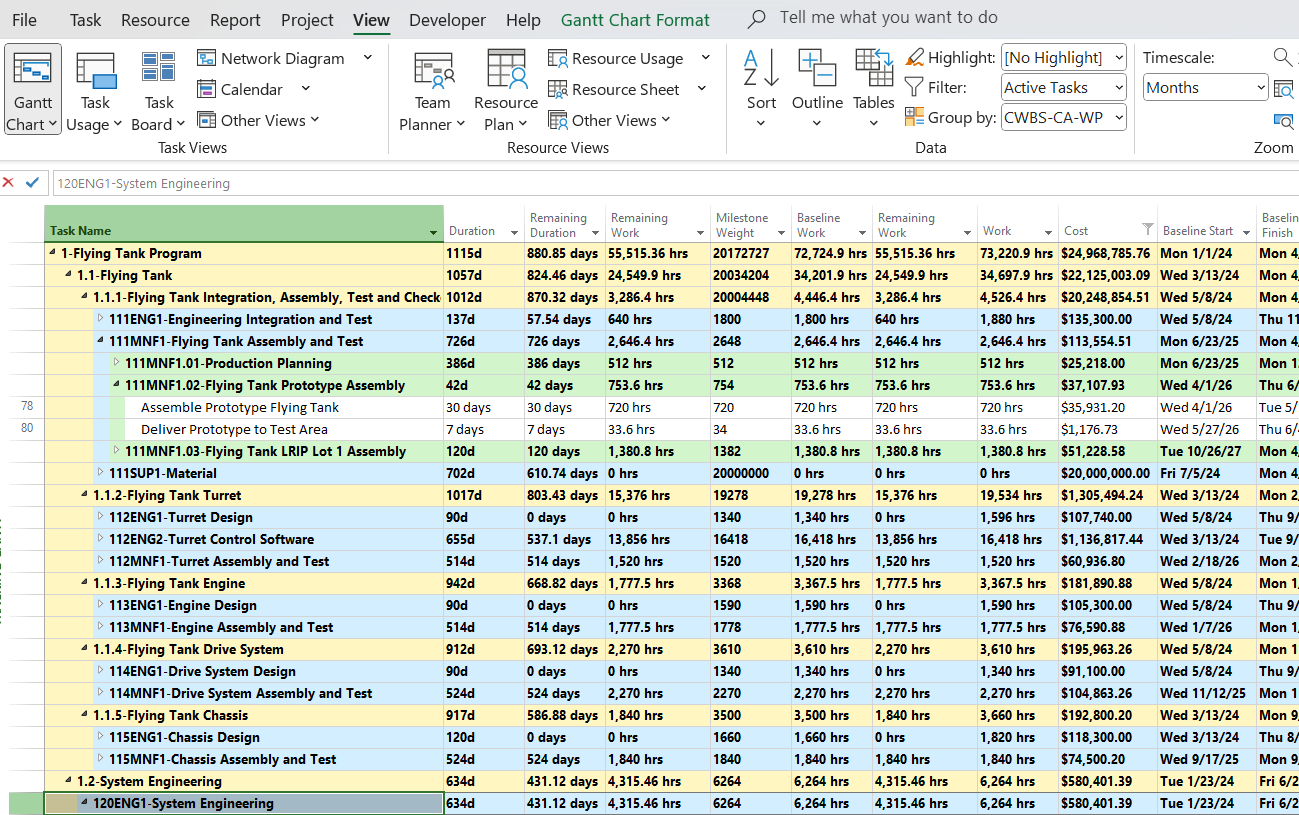
Use Group By and Sort features in views to mimic the visual structure of summaries—without adding the instability. Combined with outline codes, this gives you a clean and professional layout that’s both scalable and safe.
➤ Avoid Resource Assignments on Containers
Resources should only be assigned to work-producing tasks. If a task doesn’t result in deliverables, effort, or cost—it shouldn’t have a resource.
➤ Schedule Logic Only at the Task Level
All dependencies and constraints should be on leaf-level tasks. This keeps the logic clear, auditable, and aligned with industry standards.
Final Thoughts
Summary tasks in Microsoft Project feel helpful, but they often do more harm than good. They duplicate data, invite logic errors, and violate best scheduling practices.
By modeling your project with flat structures, custom outline codes, and well-defined task-level logic, you’ll create schedules that are more reliable, more auditable, and more adaptable - the qualities that truly matter in professional project management.